Luggage drop-off at a konbini - FamilyMart
FamilyMart is an official drop-off point for Yamato Transport, the carrier that moves your Tegaru luggage. Drop-off goes through the store's multi-copy machine (マルチコピー機), whose screen is in Japanese: here is exactly what to tap. Allow five minutes.
Before you go
- The Tegaru QR code you received by email, on your phone (a screenshot works) or printed.
- One QR code per piece of luggage: each suitcase has its own.
- Maximum size: 160 cm (length + width + height) and 25 kg per item. Anything larger will be refused.
- Some konbini inside train stations don't offer the service: use the drop-off point Tegaru gives you.
Dropping off your luggage at FamilyMart, step by step

1Open the shipping menu on the multi-copy machine
On the home screen, tap 「荷物の発送/レジで受取」 (send a parcel / pick up at register), then the large 「荷物の発送」 (send a parcel) button.
2Scan your Tegaru QR code
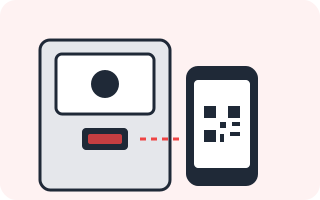
A Yamato screen (black cat logo) asks you to have your QR code ready: tap 「OK」 and hold the QR code in front of the machine's reader. Tap 「OK」 again on the screen listing accepted sizes.

3Check the summary
The machine shows the delivery address and sender. Delivery date and time slot were already set when you booked with Tegaru: don't touch the 「お届け予定日時の選択・変更はこちら」 button, just tap 「OK」.
4Take the ticket to the register
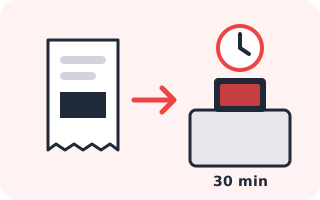
The machine prints a 「Mコピーサービス申込券」 ticket: don't touch the printer until it's done. Bring the ticket and your suitcase to the register within 30 minutes, or you'll have to start over.
5Attach the label to your suitcase
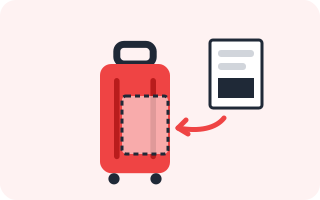
Staff hand you a shipping slip (伝票レシート) and an adhesive plastic sleeve. Slip it into the sleeve yourself and stick it flat on the suitcase. Several bags? Make sure each slip goes on the right one.

6Hand the suitcase to staff
Give the suitcase to staff and keep your receipt. Done: your luggage leaves with Yamato and arrives on the date you chose.
Good to know
- Nothing to pay at the register: shipping is already included in your Tegaru booking.
- Available 24/7, except Mondays from 2:30 to 5:00 am (machine maintenance).
- Stuck on a screen? The 「オペレーターへ連絡する」 button at the top right calls an operator (in Japanese). Easier still, ask staff: 「宅急便の発送をお願いします」 (takkyūbin no hassō o onegai shimasu, "I'd like to send a Yamato parcel").
Which konbini accept the Tegaru QR code?
| 7-Eleven | QR code scanned right at the register. | |
|---|---|---|
| FamilyMart | QR code scanned at the multi-copy machine, then the register. | |
| Yamato (営業所) | Yamato Transport offices: show the QR code at the counter. | |
| Lawson | Works with Japan Post (Yu-Pack), not Yamato. | |
| Ministop | Works with Japan Post (Yu-Pack). | |
| Seicomart | Works with Japan Post (Yu-Pack). | |
| Daily Yamazaki / NewDays / Poplar | Handle Yamato, but only with handwritten labels: the QR code isn't accepted. |